💬
🎨
💛
Tala AAC app for kids with autism and speech delays
Tala
Say it your way
AAC symbol for I'm thirsty — picture communication for nonverbal children I'm thirsty
AAC symbol for Something hurts — picture communication for kids with autism Something hurts
AAC symbol for I love you — augmentative communication for children I love you
Download on the App Store
Free to try · Easy set up for parents & teachers
They'll tell you when they're hungry, hurt, or happy
Mornings and bedtimes get easier
Set up in minutes, not weeks
No ads
Private & safe
Family-friendly
Privacy Policy

What is AAC?

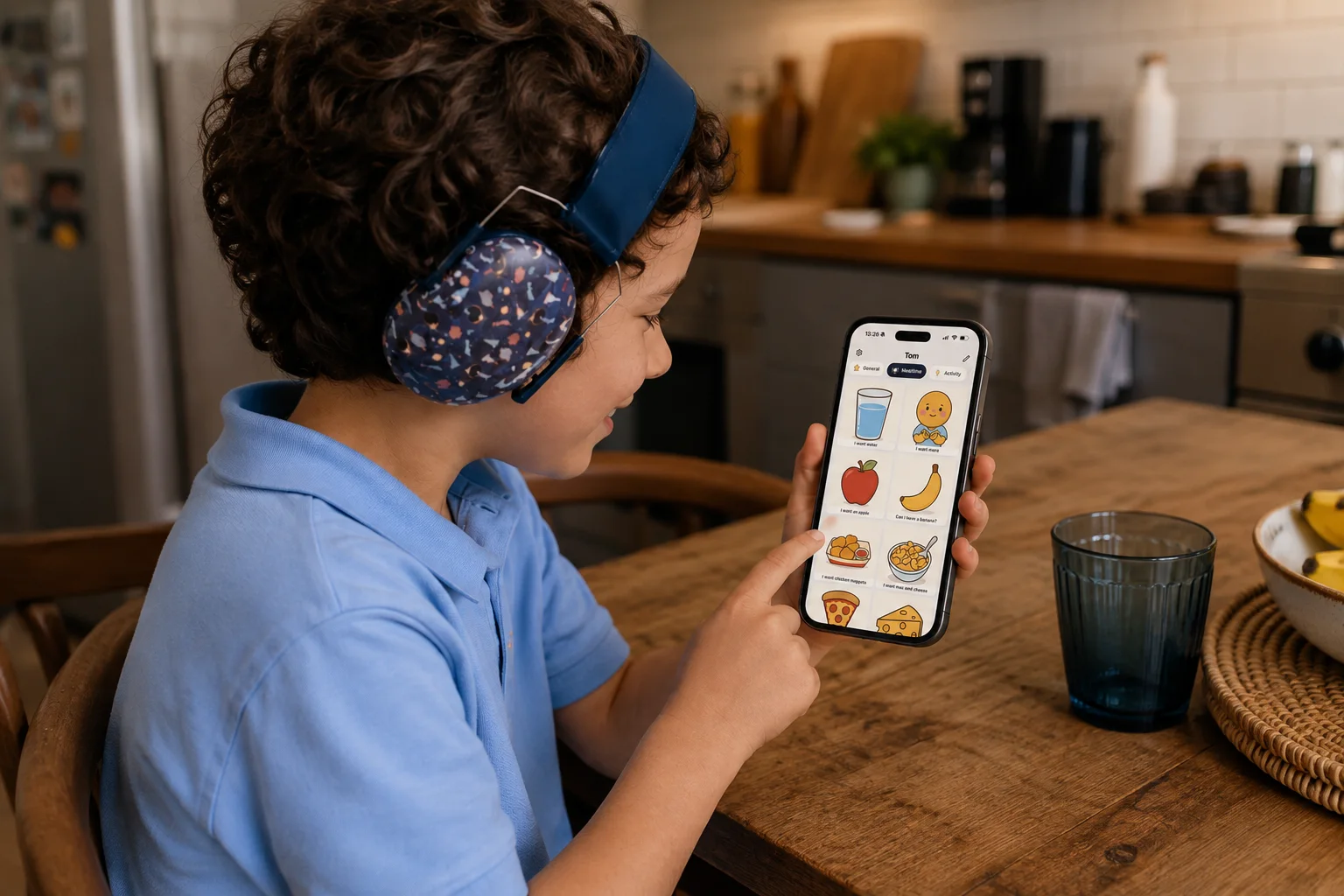
AAC stands for Augmentative and Alternative Communication — tools that help children who are nonverbal, pre-verbal, or have limited speech express their needs, feelings, and ideas. Instead of relying only on spoken words, children tap pictures on a screen that speak for them.

Who benefits from AAC?

Children with autism spectrum disorder (ASD), speech delays, apraxia of speech, Down syndrome, cerebral palsy, and other conditions that affect communication can all benefit from AAC. It's also helpful for children who are still developing language — giving them a way to express themselves while their verbal skills catch up.

Why Tala?

Tala is an AAC app designed for kids and the families and teachers who support them. It uses AI to create personalized communication boards in minutes, so your child can start communicating right away — no specialist training, no weeks of setup, and no laminating cards.

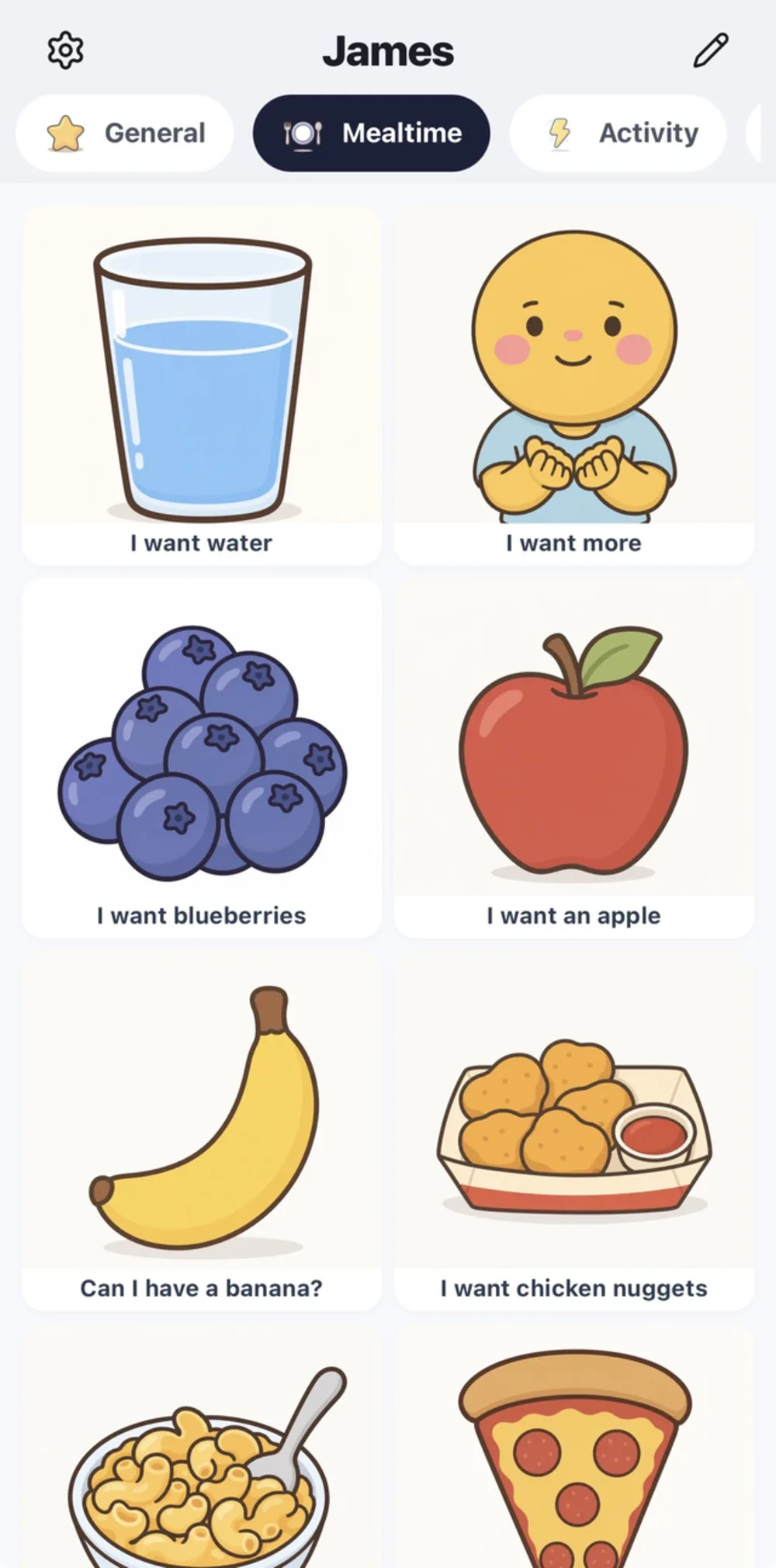
Tala AAC communication board showing Popular category with cards like Can I have water, I want a snack, I need the toilet, and Something hurts

PECS-Style Communication Boards

Tala's picture-based boards follow the same principles as PECS (Picture Exchange Communication System) — your child taps clear, friendly symbols to say what they need. Unlike physical PECS cards, everything lives on one device with text-to-speech that speaks each selection aloud.

Tap to speak, or build sentences

Start simple — your child taps a single picture like "I'm thirsty" and Tala speaks it aloud. As they grow, they can build multi-word sentences by tapping words in sequence: "I want strawberries." The sentence bar at the top shows what they've built, and one tap plays it all.

1,000+ symbols across every category

  • Organized categories: Mealtime, Feelings, Activities, People, Body & Needs, and more
  • Hand-illustrated symbols designed for children to understand at a glance
  • Natural-sounding text-to-speech voices (not robotic)
  • AI creates personalized boards based on your child's name, age, and interests
  • Add custom images — upload a photo of your child's actual cup, pet, or classroom
Visual schedule app for kids showing daily routine with picture icons — helps children with autism understand transitions
Visual routine checklist for bedtime — step-by-step image schedule for children with autism and speech delays

Visual Schedules & Routines

Many children — especially those with autism or anxiety around transitions — feel calmer and more confident when they know what comes next. Tala's visual schedule shows the day's activities with clear picture icons, giving children a concrete picture of their day.

Daily image schedule

Wake up, breakfast, school, snack, play — your child sees the whole day laid out with familiar icons. Tap any activity to hear it spoken aloud. Drag to reorder when plans change.

Step-by-step routines

Break big tasks into checkable steps. A bedtime routine becomes: Bath, Pajamas, Brush Teeth, Read Book, Goodnight. Your child checks each step off as they go — building independence and reducing meltdowns during transitions.

  • AI-generated schedules — describe your child's day and Tala builds it
  • Tap any activity to hear it spoken aloud
  • Progress tracking with visual checkmarks
  • Create reusable routines for morning, bedtime, school, and more
First Then board app showing dinner first then bath — visual transition support for children with autism

First/Then Boards

"First dinner, then bath." First/Then boards are one of the most widely used tools in applied behavior analysis (ABA) and special education. They show exactly what's happening now and what comes next — reducing anxiety and supporting smoother transitions for children with autism, ADHD, and other developmental needs.

Simple, effective, reusable

Choose any two activities, and Tala displays them side by side with large, clear images. Press Play to hear both steps spoken aloud. Recent pairs are saved so you can quickly pull up common transitions like "First homework, then iPad."

  • Two-panel visual: First this, Then that
  • Choose from any activity in your schedule or boards
  • Press Play to hear both steps spoken aloud
  • Recent pairs saved for quick reuse throughout the day
Visual timer app for kids with autism showing countdown circle — helps children understand time passing

Visual Timer for Kids

Abstract concepts like "5 more minutes" are hard for many children, especially those with autism or ADHD. Tala's visual countdown timer shows time as a colored circle that shrinks, making the passage of time concrete and visible. The color changes from blue to amber to red as time runs out — giving children a clear, non-verbal cue.

"When done" takes the guesswork out

Set what happens next — "When done: Play" — and your child sees the reward or next activity right below the timer with a picture. When the timer finishes, Tala announces it aloud. No more "how much longer?" — they can see for themselves.

  • Color-changing countdown circle children can watch
  • "When done" shows the next activity with a picture and label
  • Preset durations: 1, 5, 15, 30, or 60 minutes
  • Spoken announcement when the timer finishes
  • Helpful for homework, screen time limits, waiting, and transitions
Tala AAC app showing visual schedules, First Then boards, and visual timer — communication tools for teachers and speech-language pathologists

Built for Parents & Teachers

Tala is designed for the people who spend the most time with these children. Parents get AI-personalized boards tailored to their child's name, age, and interests. Teachers and speech-language pathologists (SLPs) get free access with a simplified 3-step setup.

Classroom-ready communication tools

Use Tala as a communication tool in special education classrooms, speech therapy sessions, or at home. Customize boards, upload photos of classroom items, and use visual schedules to support classroom routines. Supports English, Spanish, and Swedish — ideal for multilingual classrooms and bilingual families.

  • Teachers and SLPs sign up completely free
  • Add, remove, or rename communication boards
  • Upload custom images for any word or activity
  • Visual schedules for classroom routines and therapy sessions
  • Three languages for multilingual support

200+ Free Social Stories

Prepare your child for everyday situations — the dentist, a haircut, the first day of school, and more. Browse, customize, and print. No app or account needed.
Browse all +200 social stories →

How Tala Works

Three steps. Two minutes. No specialist training needed.

1

Sign up

Enter your email. No password needed — we send you a secure code. Teachers select "Teacher" for free access.

2

Tell us about your child

Name, age, language, and interests. Tala's AI builds personalized communication boards instantly.

3

Start communicating

Your child taps pictures, Tala speaks. Add visual schedules, routines, and timers as you go.

Frequently Asked Questions

AAC stands for Augmentative and Alternative Communication. It's for anyone who has difficulty with spoken language — including children who are nonverbal, pre-verbal, have autism spectrum disorder, Down syndrome, apraxia of speech, cerebral palsy, or other conditions that affect communication. Tala makes AAC accessible with picture-based boards, text-to-speech, visual schedules, and a visual timer.

Tala works for children of all ages who need communication support — from toddlers just beginning to learn language to school-age children and beyond. It's especially helpful for children with autism, speech delays, and apraxia. The vocabulary and boards adapt to your child's needs and can grow with them over time.

Traditional PECS uses physical picture cards that children hand to a communication partner. Tala brings the same picture-based approach to an iPad or iPhone — with 1,000+ symbols, text-to-speech so selections are spoken aloud, and AI that personalizes boards to your child's interests. No laminating, no lost cards, and your child can build multi-word sentences on screen.

Tala offers a 1-week free trial with full access to all features — communication boards, visual schedules, the visual timer, First/Then boards, and AI-personalized content. After the trial, it's $2.99/month. Teachers and speech-language pathologists get completely free access — just select "Teacher" during setup. There are no ads and no hidden fees.

Tala supports English, Spanish, and Swedish. The entire app — communication boards, text-to-speech voices, visual schedules, and interface — is available in all three languages. You can switch languages at any time, making it ideal for bilingual families and multilingual classrooms.

Yes. Teachers and speech-language pathologists get free access to Tala. The app includes a simplified 3-step setup for classroom use, customizable communication boards, visual schedules for classroom routines, a visual timer for activities, and support for three languages — ideal for special education classrooms and speech therapy sessions.

Core communication boards and saved visual schedules work offline — your child can always communicate, even without internet. Features that use AI (like generating new personalized boards or schedules) require a connection. Text-to-speech works offline using your device's built-in voices.

Yes. Tala is built with children's privacy as a top priority. There are no ads, no data selling, and no tracking of children. All data is encrypted and stored securely. We take COPPA compliance seriously, and your family's information is never shared with advertisers or third parties.

Ready to help them communicate?

Try Tala free for one week. Set up in 2 minutes.

Download on the App Store

Support

Need help? Have questions? Contact us at support@talaaac.com

Download on the App Store